
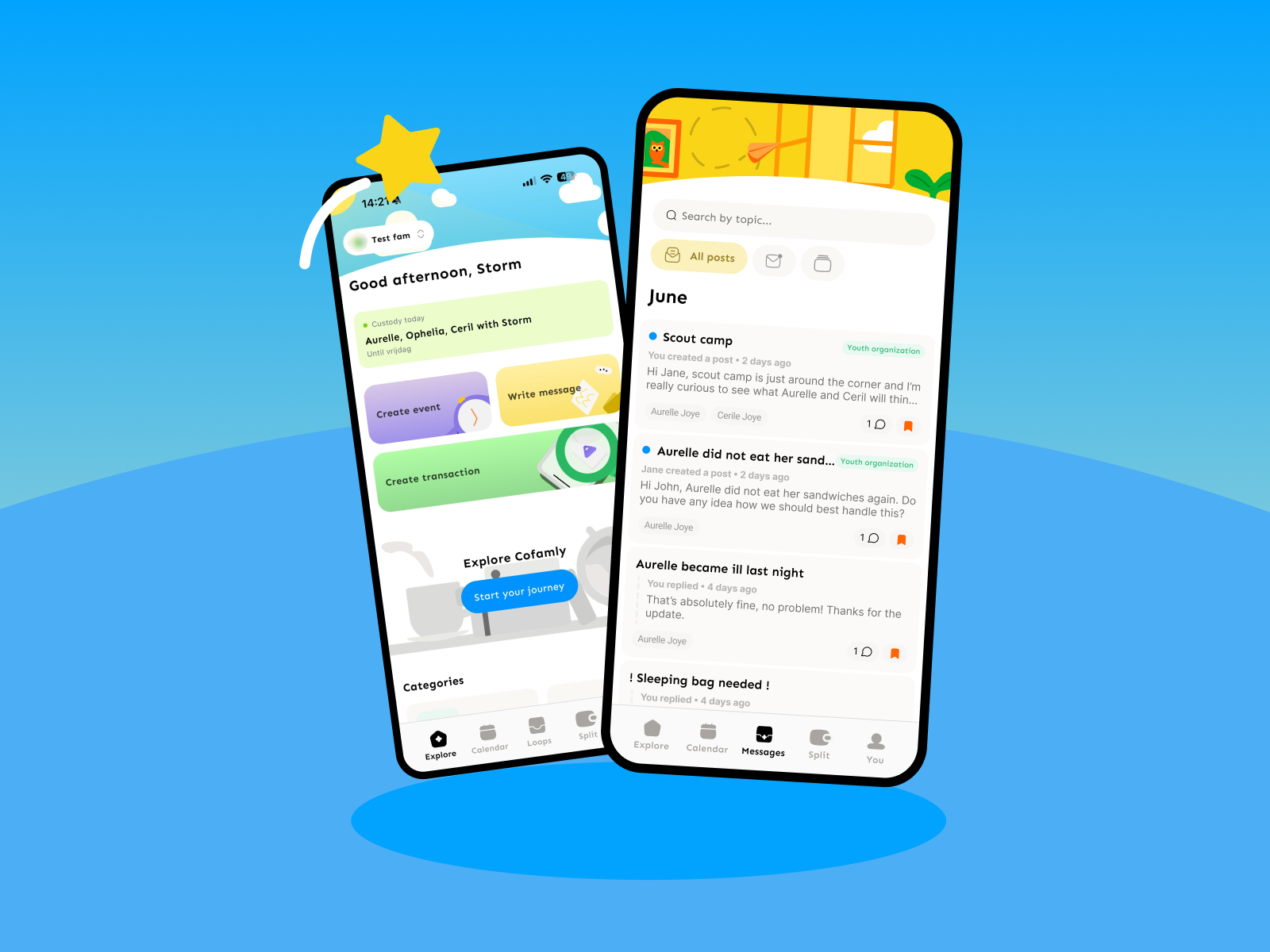
The new Agenda and Messaging: a schedule that moves with you
Who has the kids next week? Does the holiday schedule start already, or only after the weekend? And why does a quick note about the swim bag come with a category?
Small questions. But in a family with two homes, they come back every week, and together they make the kind of noise that makes co-parenting heavier than it needs to be.
We hear this a lot. Many parents told us the Agenda left too little room for how their family really works. And that Loops wasn't clear enough, especially the categories.
So we rebuilt both from the ground up.
With this update you get an Agenda that moves with your schedule, and Messaging, the new version of Loops where a short message is allowed to be short. Below you'll find what changes, and why.
What changes for your co-parenting?
In short: the Agenda now works with a schedule per child, handles exceptions like holidays, and doesn't throw away your history when you change something. Loops is now called Messaging and no longer asks for a category. On top of that, you get more personal notifications, easier login and a smoother app.
That's a lot at once. So let's take it one piece at a time.
Why one standard schedule was never enough
Not every family is week-on, week-off. Sometimes one child sleeps somewhere different every weekend. Sometimes it's a blended family with kids from two relationships, each with their own rhythm. Sometimes it's a schedule that works for six months, and then doesn't.
And that's all completely normal. Families aren't a standard form.
Still, many calendars asked you to squeeze everything into one schedule. It chafed. For you, and honestly, for us too.
A schedule per child, or for several children together
In the new Agenda you set up a schedule for one child on their own, or for several children at once. That way your oldest can have a different rhythm from your youngest, without you keeping two calendars side by side.
It sounds technical. But you feel it most on a Tuesday evening, when you see at a glance who sleeps where.
And because every family works differently, you can also shape the Agenda to fit you. So it fits your family, and not the other way around.
Holidays and other exceptions
Spring break. A Christmas that runs differently this year. The summer camp that lands a weekend into your week. Life rarely sticks to the schedule.
That's why you can add exceptions to the Agenda, like holidays. They sit on top of your schedule. Afterwards, everything carries on as before.
No schedule to shut down and rebuild. Just an exception that gets to be an exception.
That goes for every family, whether you have one child or several.
Changing your schedule without losing your history
Changing a schedule shouldn't feel like starting over.
So you can now edit a schedule or add a new one without stopping the previous one and without losing its data. A child growing older, a move, a new work rota: the schedule is allowed to change along with them.
What you've agreed and done so far simply stays.
Notifications that take you straight to the right place
A notification that only says something happened doesn't help much. You're still left searching.
The new notifications are more personal, and you open them straight in the app, right where they belong. One tap, and you're where it's about. That saves a search, on days when you're already searching enough.
Loops is now Messaging, and a lot lighter
Loops had a good idea: messages per topic, instead of an endless scroll in a group chat. But in practice we heard two things. It wasn't always clear what Loops was. And the categories were even less clear.
You always had to pick a category, even for something like "Don't forget the hockey socks". That's too much work for five words.
That wasn't a small remark. That was a lot of parents saying roughly the same thing, and we didn't want to keep ignoring it.
So we went back to the drawing board. In Messaging you don't have to pick a category anymore. A short, structured message is sent in no time.
You can also add photos to your reply. A picture of the school letter says more than three messages.
And you decide for yourself whether to let the other person know you've read a message. Sometimes you want to read in peace before you answer.
Login, speed and what's still coming
There's also work in this update you won't spot straight away. Logging in is now easier with an account you already have. We've fixed performance issues. And we've started on a new design, so the whole app feels smoother.
A login that gives you trouble or a screen that loads slowly is one thing too many on a day that's already full. We take that seriously.
That last part is still on its way. But we thought you should know.
A schedule is not set in stone
Kids grow. Work rotas shift. A blended family joins in.
We hope the new Agenda and Messaging take some of the noise out of that. So the questions of an ordinary Tuesday evening get small again.
A family changes. Your agenda is allowed to change with it.